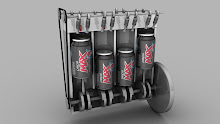
This semester we began by understanding how animation works in 3D Studio Max. The first thing I created was a simple ball, done by creating a sphere shape. Then I used the 'Set Key' tool and then slid the time slider along to the 50th frame, moved the ball to a different position, then pressed the key icon. Next I repeated this for the 100th frame. After, I used the curve editor to create a realistic curve to represent gravity. Then I clone the ball twice, and used the 'Dope Sheet' to alter each balls start point. This produced 3 balls which bounce independently next to each other. Here is the result:

No comments:
Post a Comment